PlanPal Calendar & To-Dos
PlanPal is a calendar and to-do website I put together for anyone who wants to keep their week straight without dealing with a bunch of extra stuff. It’s not trying to be some huge productivity system with fifty menus and a million settings. You open it, see what you’ve got going on, add whatever you need to remember, and keep moving. The main calendar has both month and week views, so you can either look at the bigger picture or break things down by the hour. Events are color-coded to make work, personal plans, appointments, and random reminders easier to spot. You can add the event name, date, time, color, and a quick note. If that event also needs something done, you can turn it into a to-do right from the same form. That part saves a lot of back-and-forth.
There’s a separate to-do page where tasks can be grouped into work, personal, and later. You can give them due dates, set a priority, check them off, or use the quick-add box when you just need to throw something in before you forget. The calendar also shows unscheduled tasks on the side, making it easier to decide where they fit during the week.
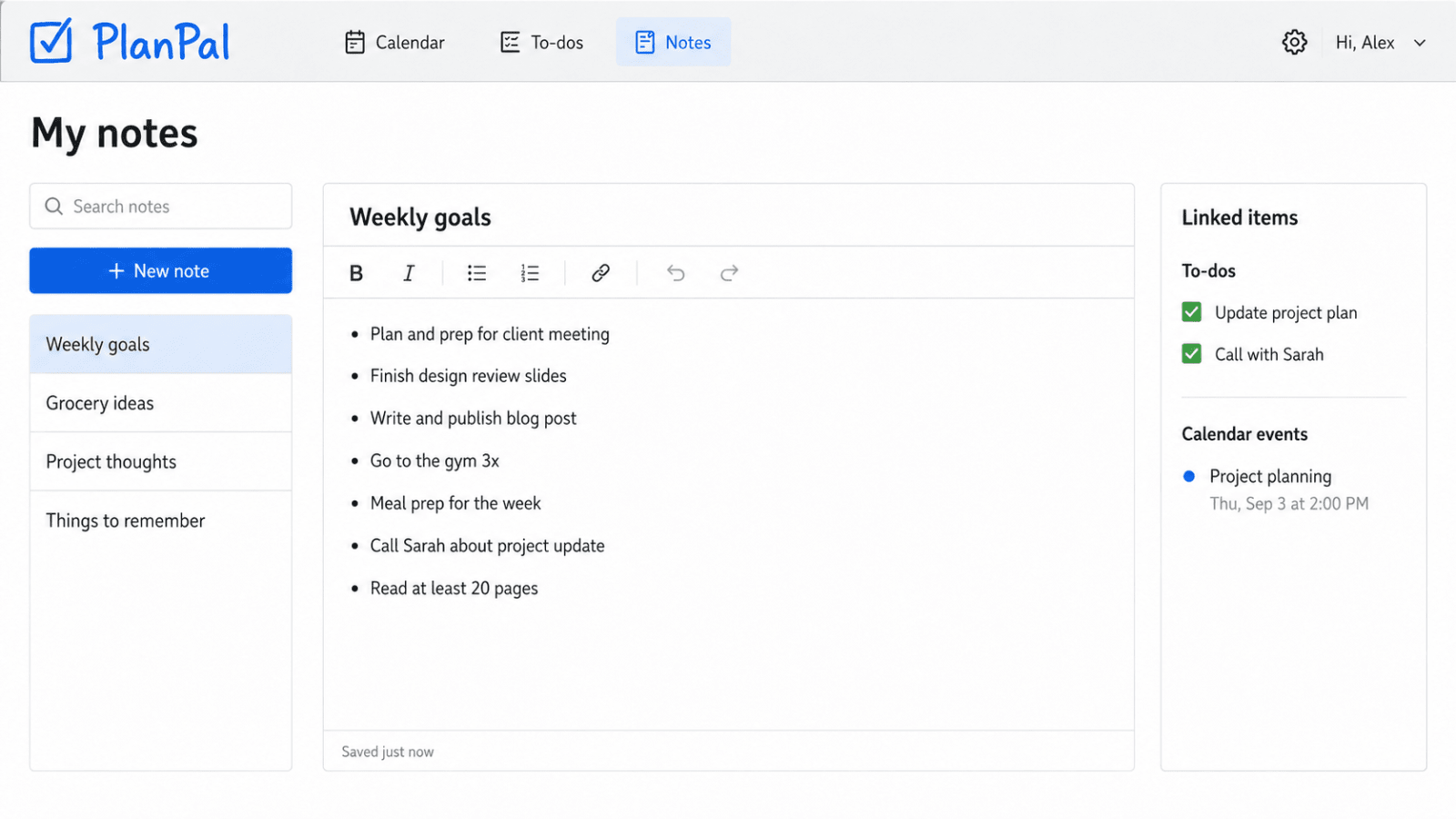
I added a basic notes page too. It’s nothing wild, but it works for weekly goals, grocery ideas, project thoughts, or any little thing you don’t want floating around in your head. Notes can be connected to calendar events and to-dos, so related stuff stays together instead of being scattered everywhere. The style is intentionally simple. No fancy animations, no overdone dashboard look, and no confusing setup. It feels more like a useful everyday tool than some serious corporate app. The layout works on phones and computers, and the colors, text, sample tasks, and site name can be changed.
The five images show the monthly calendar, to-do list, weekly schedule, event form, and notes page from the same website. What you see is basically what you’re getting: a straightforward calendar and task website that does the job without making a thing out of it. If you want something easy to understand and easy to make your own, this should be a great starting point.
Technology used
React NativeFirebaseExpo
What comes with the purchase
✓
monthly calendar view
✓
weekly calendar view
✓
event creation and editing
✓
separate to-do management page
✓
task categories and priorities
✓
due dates and completion tracking
✓
unscheduled task sidebar
✓
notes with linked items
✓
mobile-friendly layout
What is not part of the base price
—
mobile app
—
calendar service connections
—
email reminders
—
text-message reminders
—
team collaboration
—
paid subscription system
—
hosting and domain name
—
ongoing maintenance